
Configure the task
1
Choose the display
Select the Heatmap question type, then its display style: image, text, Find it or Hot spot. For text, enter the passage under Text to highlight. For an image, attach a picture rather than a video or document.
2
Set the required marks
Set the minimum and maximum marks or areas the participant should select. Add named markers, such as Like and Dislike, when every mark needs a category. Test the limits with the intended content.
3
Draw zones where needed
Use Draw zones and drag rectangles over the image. Name the zones and keep them from overlapping. When conditions or concepts supply several images, configure zones on each image; use consistent names for areas that should be counted together.
4
Save and test
Test the task on desktop and touch screens, including removing a mark, incomplete selections and every conditional image. Verify the saved answer in Responses.
Choose the right mode
The available areas on every Hot spot image must support the requested selection count. Image coordinates and zone definitions belong to the picture shown; inspect each conditional or translated picture separately.
Inspect saved answers and charts
Open a heatmap answer in Responses to see the image and pins or highlighted words. Find tasks also record timing and missed clicks. Response exports include the recorded task values; a zone-free image answer reports clicks rather than naming an area that was never defined. In Charts, inspect the appropriate image or language tab. A Find it task shown on several images starts with All images, showing the proportion found, found on the first click, median time to find and average missed clicks. Image tabs and breakdown groups show their own respondents. Check the base before comparing them. Use a zone or find-result filter when the analysis needs that subset. Review the actual marked image behind a finding instead of treating a dense area alone as an explanation of participant intent.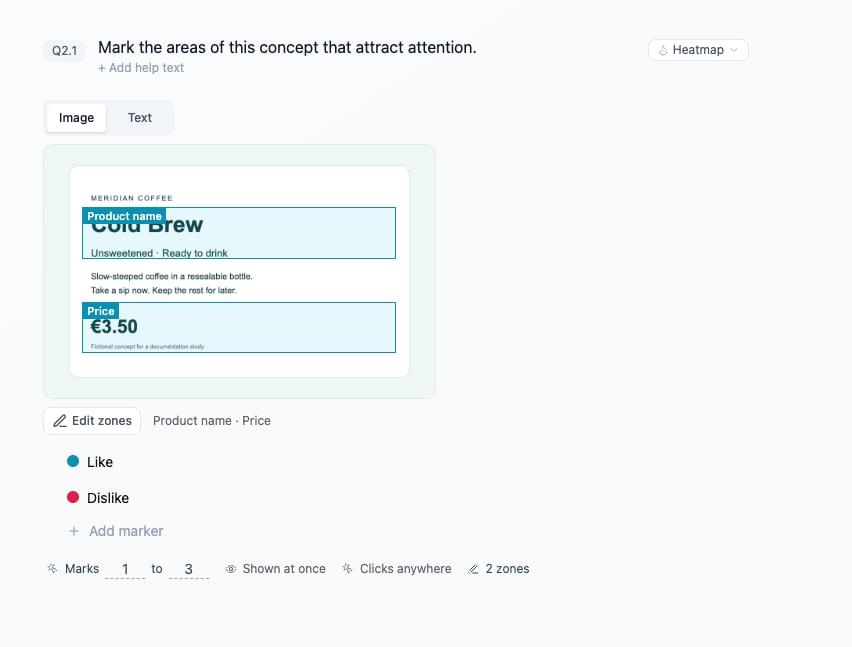
Name image zones and markers before testing the marks participants can place.