
Before you start
Prepare documented target distributions or agreed manual multipliers, using variables actually collected in the study.Create a scheme
1
Select New weight
Use New weight (the + beside the scheme names). A new scheme starts in Target proportions; use its ⋯ menu to change to Manual weights when entering multipliers directly.
2
Name the scheme
Select the name in the editor and enter a unique description of the targets or use.
3
Add variables
Select Add variable and choose up to five eligible questions. A variable already used in the scheme is not offered again.
4
Enter targets or multipliers
In Target proportions, each variable’s targets must total 100% within the displayed tolerance. In Manual weights, enter the required multiplier for each option.
5
Review diagnostics and save
Check Weighted N, efficiency, weight range, missing cells, and convergence, then select Save weights.
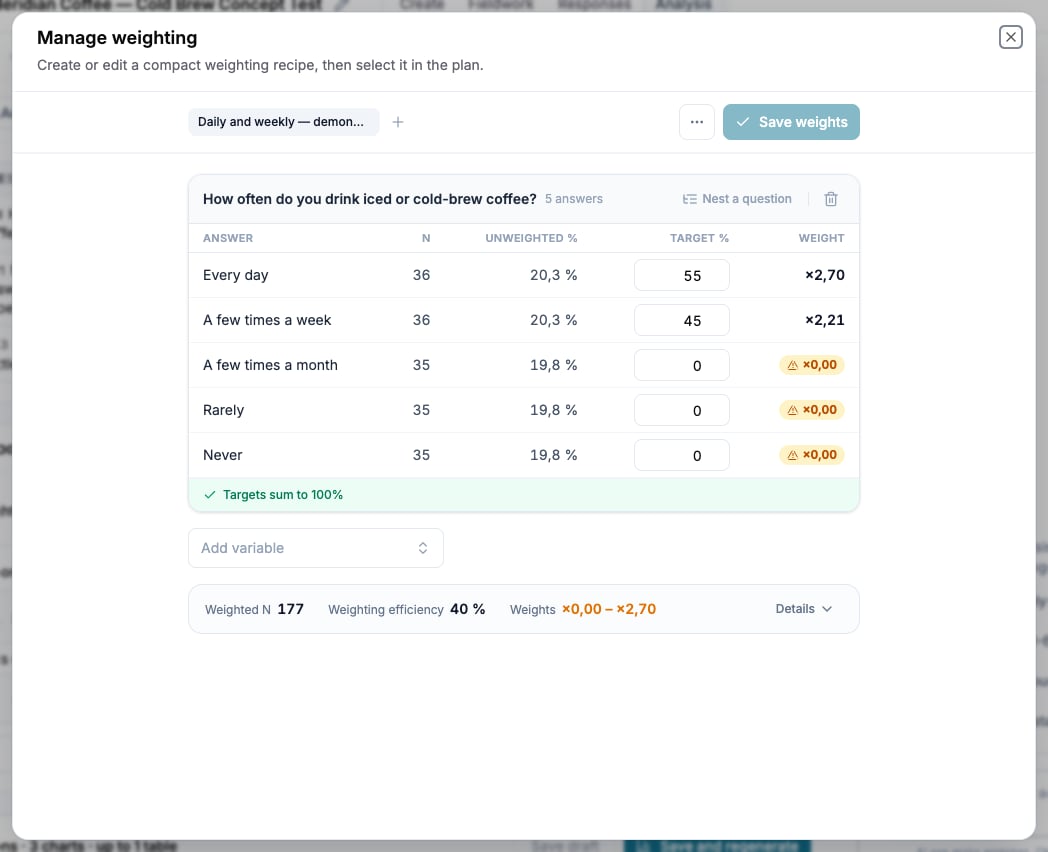
The weighting editor combines scheme targets with live diagnostics for the resulting respondent weights.
Nest a target
Select Nest a question under a variable to define joint targets such as age within region. One child can be nested beneath each variable, and its percentages must total 100% within each parent category. Use a nested target only when the joint distribution is known and required. It creates more cells and can increase missing or extreme weights.Read the diagnostics
Weights outside 0.33–3.0 are marked as extreme. Nonzero values remain clamped to 0.2–5.0. A non-converged scheme displays the closest available result; relax or remove incompatible targets before using it.
A respondent missing any required weighting variable is excluded from weighted results. Compare the included raw base and excluded count after every variable or nested target is added. Manual weights are not rescaled, so Weighted N can differ from the raw base even when nobody is excluded. Effective sample size is the included raw base multiplied by weighting efficiency divided by 100.
The eligible base contains completed responses that pass the quality criteria. It does not include every row in Responses.
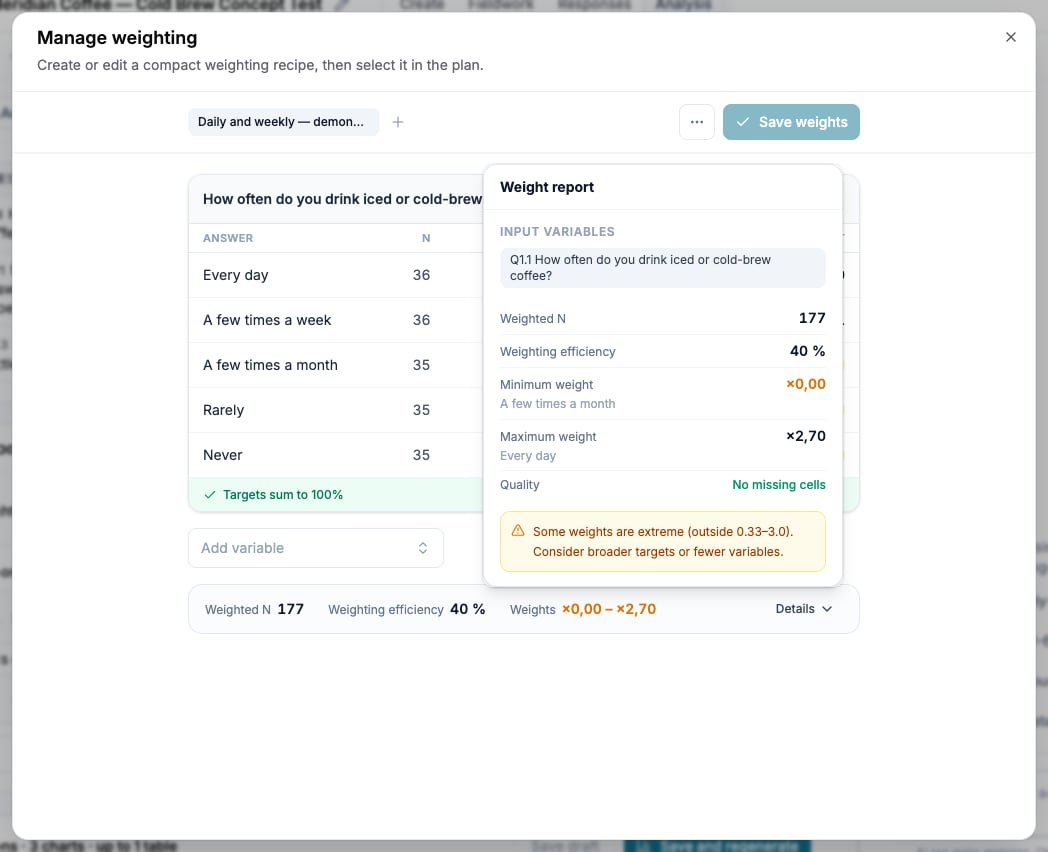
This synthetic 55/45 example assigns zero weight to the other groups. Weighted N is 177; efficiency is 40%. These targets are not a population benchmark.
Choose where the scheme applies
The plan stores the weighting for its generated charts and tables. Individual saved charts can have their own selection.
A scheme not selected anywhere is listed as Not applied. A scheme used by analysis may be locked to keep its calculations reproducible.