
Insert an earlier answer into text
Type @ in question text, help text, or an option label. Select an earlier question or an available variable. The editor inserts a token and the participant sees their own value in its place. Only answers available earlier in the participant journey are listed. Move the source before the target if it does not appear. A question inside a concept loop has an answer for each concept. Its answer cannot be inserted into text outside the loop because there is no single current concept there; saving rejects that reference. Keep the dependent question inside the loop, or collect the required value in a separate question outside it.Reuse earlier selections as options
Open the target question’s Options source and select Pipe from question. Choose one or more source questions. Piped options are combined with manually entered options. Leave the manual list empty when the target should contain only piped values. Available controls depend on the source type:- Pipe unselected options uses options the participant did not choose.
- Top N keeps the participant’s highest-ranked or largest values.
- Greater than keeps numeric items above a threshold.
- Per-option conditions apply an additional Show if rule.
- Numeric matrices can pipe and filter rows or scale columns.
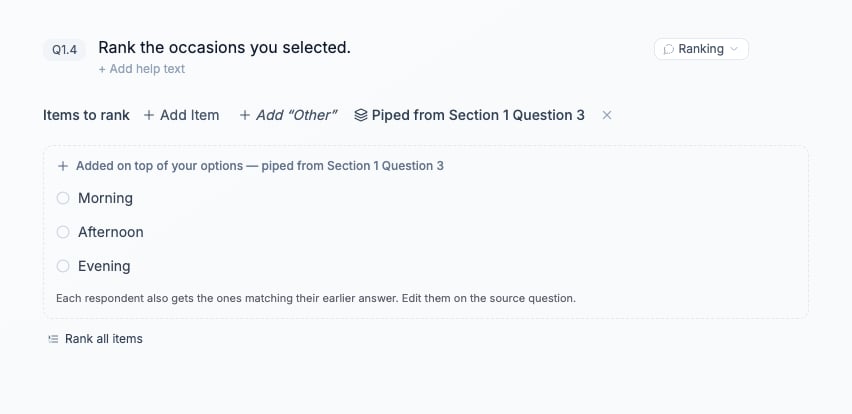
The Ranking question draws its items from the earlier occasions question. Participants receive their selected occasions.
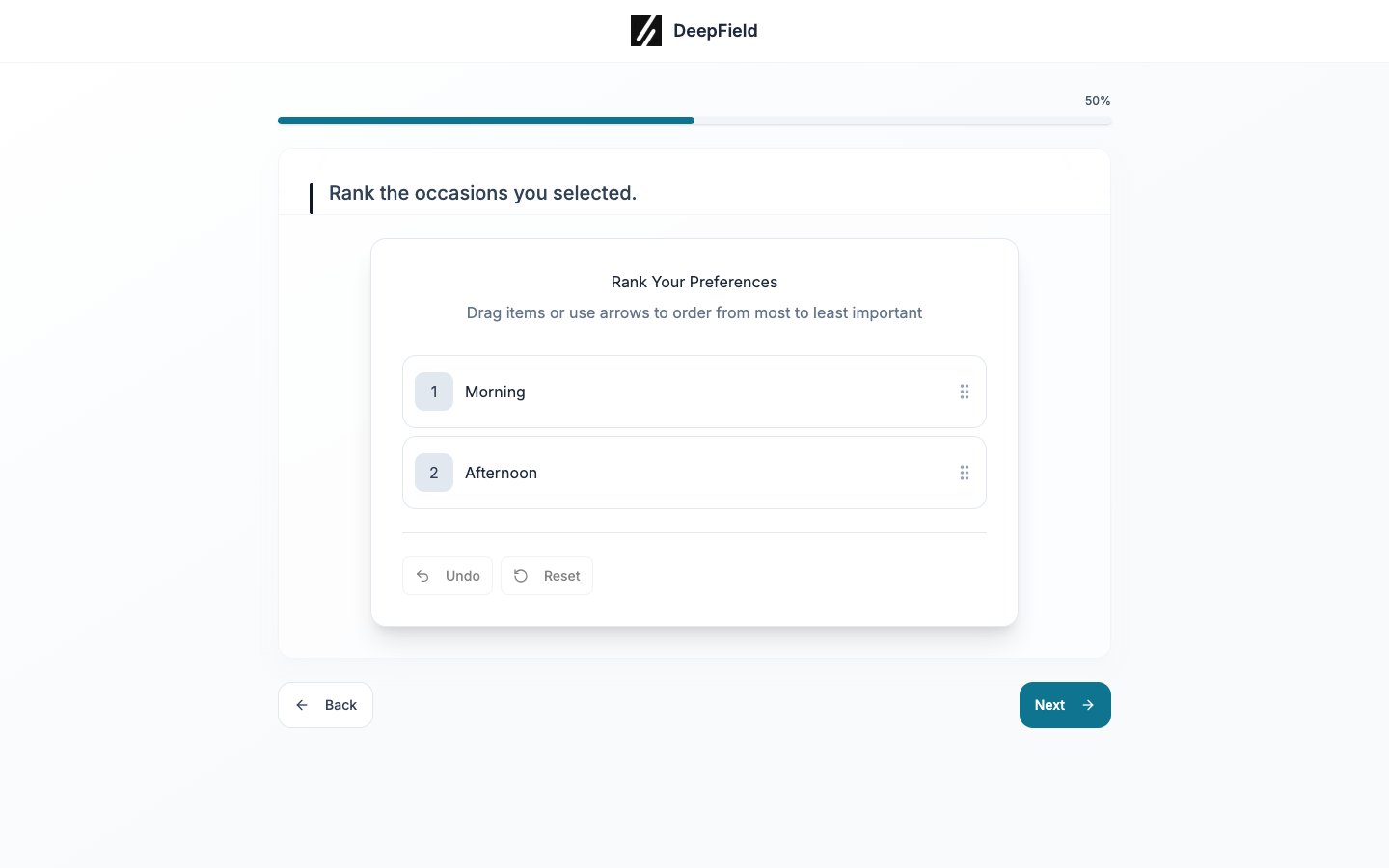
Only Morning and Afternoon were selected earlier, so Evening is absent from this participant’s ranking.
Verify each route
1
Save the source and target
Save the questionnaire, then generate a test link.
2
Answer the source
Choose a recognizable value and continue to the target. Confirm that text tokens resolve to that value and piped options match the selection or filter.
3
Test missing and changed inputs
Repeat with a skipped source and with the minimum possible selections. When back navigation is enabled, change the source and check the target again.
4
Check stored answers
Open the test response in Responses and inspect the target answer. Confirm that the saved choice belongs to the options actually shown.