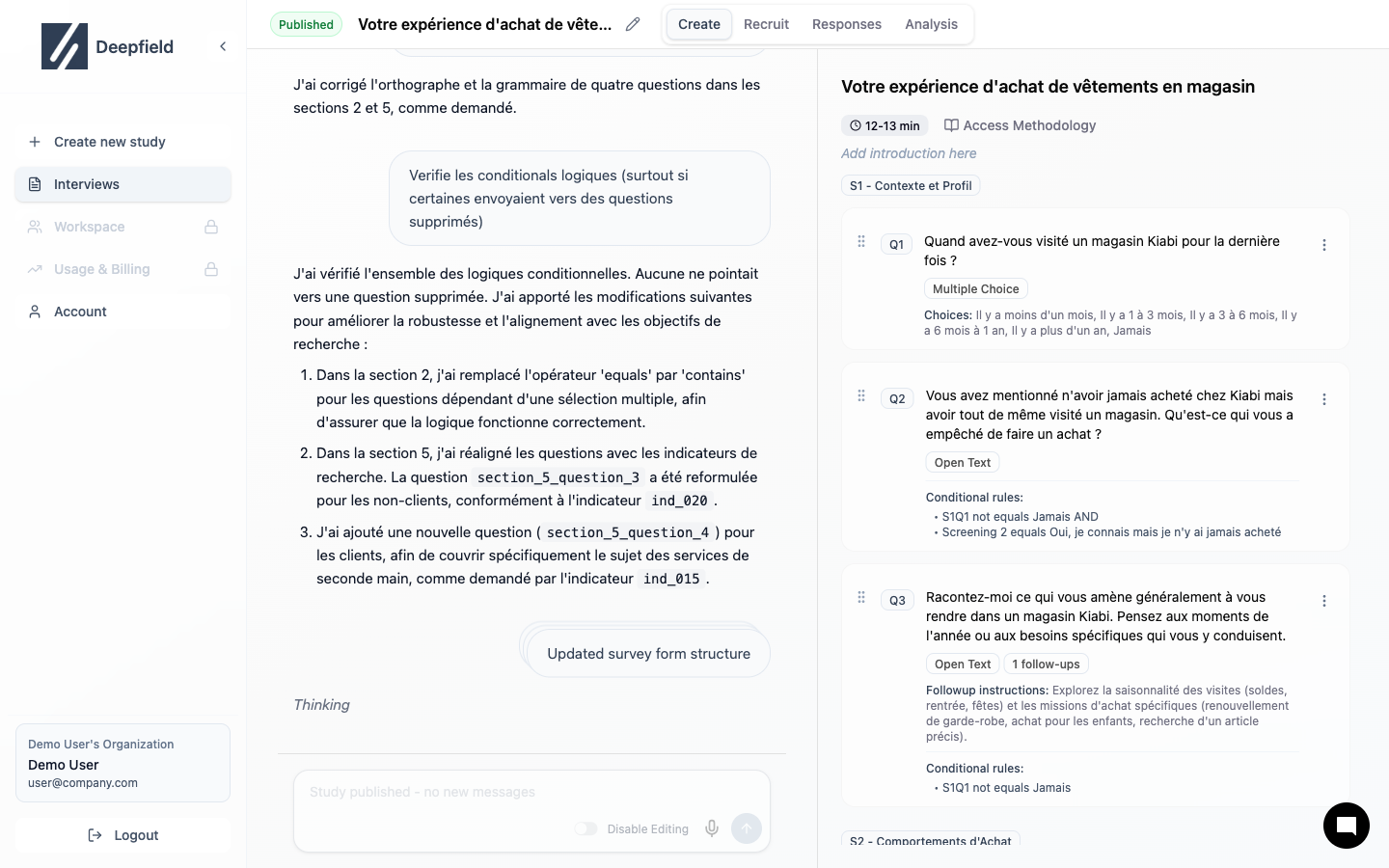
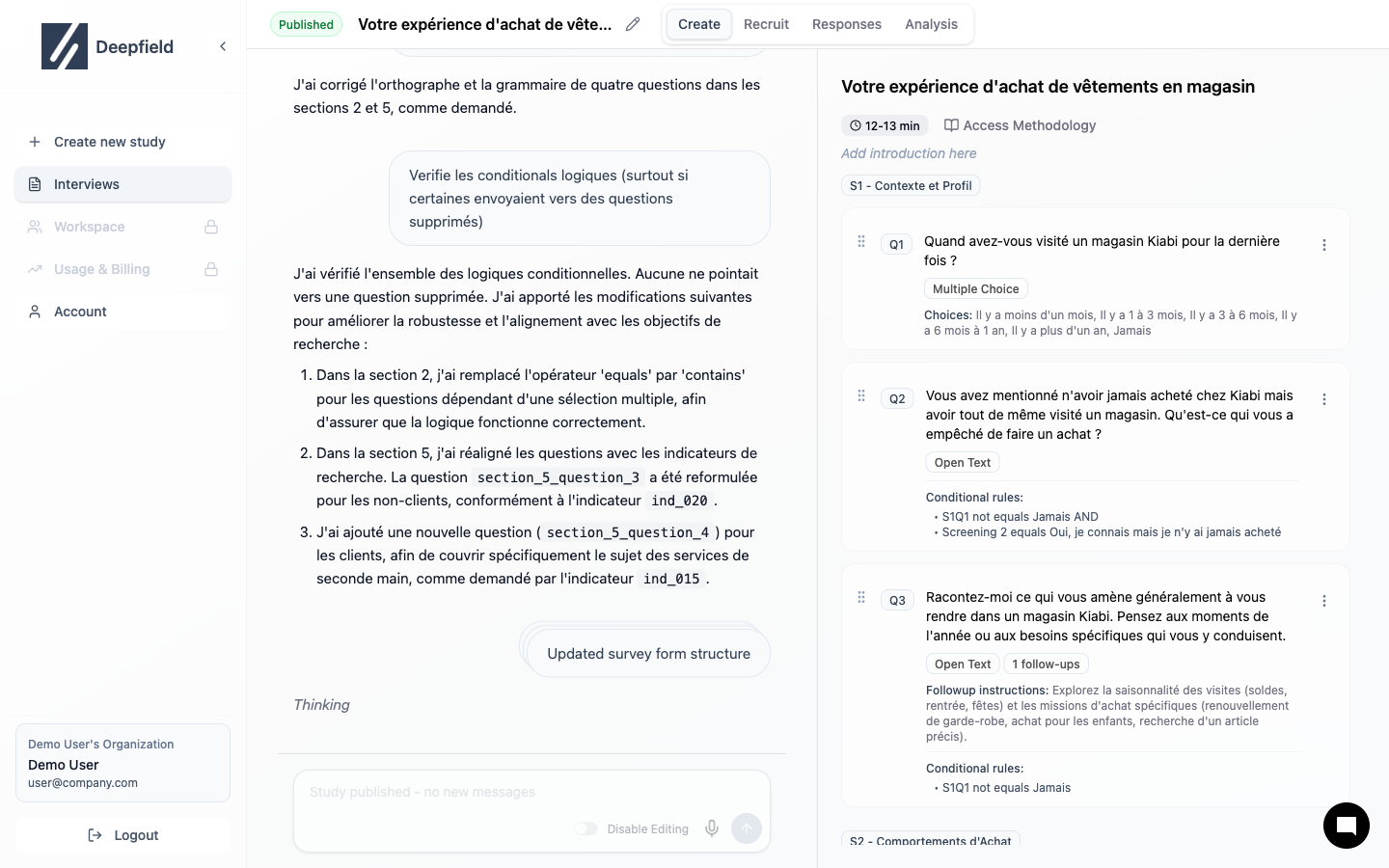
The editor has two panels: AI Chat (left) and Study Structure (right).
Layout
| Panel | Purpose |
|---|
| Left | Chat with AI to generate/edit content |
| Right | View and edit study structure |
Top Navigation
| Tab | Purpose |
|---|
| Interview Guide | Create questions |
| Recruit | Set up participants |
| Responses | View data |
| Analysis | Get insights |
Working with Questions
Click any question to edit text, type, or options.
Drag to reorder questions within or between sections.
Using AI Chat
Type naturally to modify your study:
- “Add a question about purchase intent”
- “Make question 3 more specific”
- “Remove all demographic questions”
Saving
Changes are not saved automatically. Click Save Changes before leaving.
| Action | Result |
|---|
| Save Changes | Saves current work |
| Undo Changes | Reverts to last save |
Study Structure
Organize sections
Editing Questions
Edit question details