> ## Documentation Index
> Fetch the complete documentation index at: https://support.deepfield-ai.com/llms.txt
> Use this file to discover all available pages before exploring further.
# Use customer files and link attributes
> Import a dataset, connect its columns to variables, and test how each participant receives the right values.
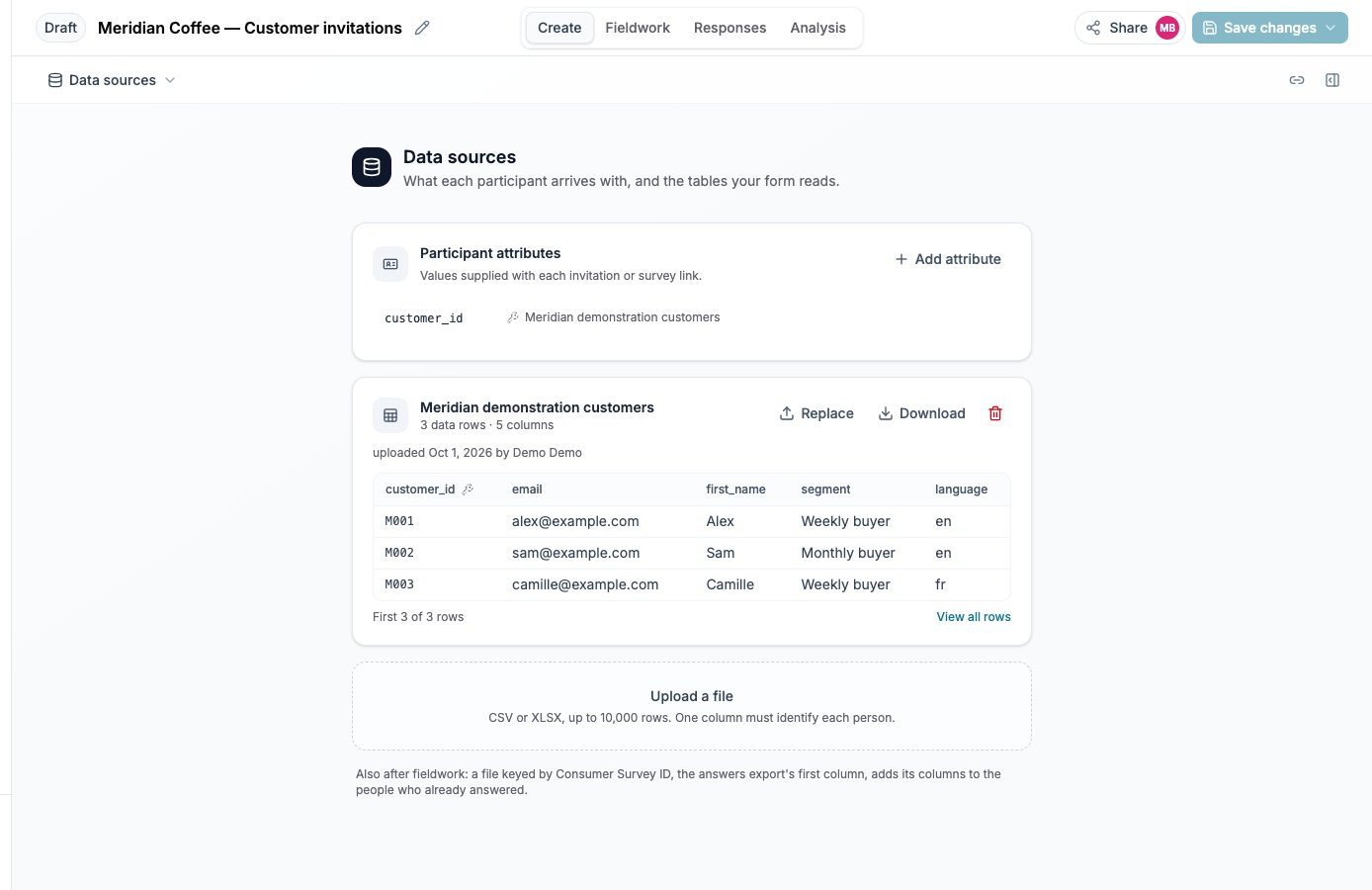
Use **Data sources** in the Create view menu to upload a study's files. A dataset is separate from an attachment in the assistant conversation: its columns can supply variables and campaign recipients.
## Prepare and import the file
You need edit access. Prepare a CSV or XLSX file with headers and no more than 10,000 data rows. Choose a column with a nonempty, unique identifier on every row. Keep customer identifiers as text when leading zeroes matter.
Select **Upload a file**, choose the file and, for a workbook, the worksheet. Inspect the detected columns and sample rows.
Set **Identifier column**. Check that each row represents the intended person. Duplicate or empty identifiers block import.
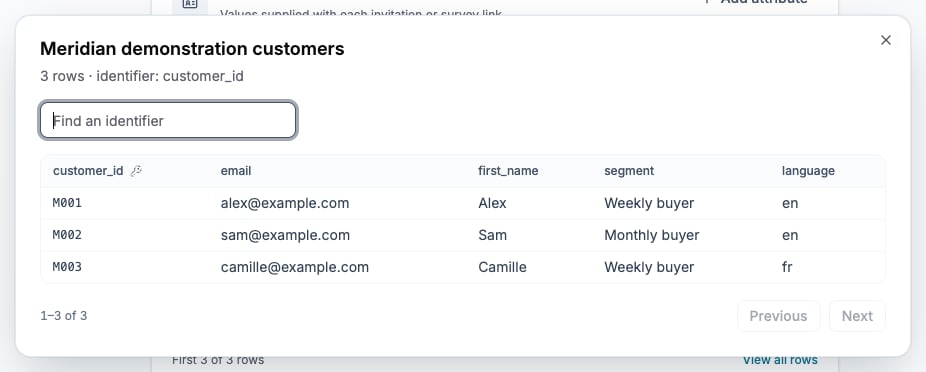
Name the dataset, check the row count, and select **Import**. Reopen it with **View all rows** to find a known identifier and verify its values.
A numeric column contains only numeric filled cells; empty cells remain undefined. Fix the reported rows and import again after a rejection; rejected files do not partially replace the dataset.
## Choose the right entry route
A customer file keyed by a customer identifier makes the study personal-link only, even before a variable reads it. Participants enter through their own campaign invitation or personal test link. Open provider links cannot coexist with that file. Resolve any named provider conflict before import; do not remove a live provider merely to bypass the message.
For a segmentation added after collection, retain the export's `consumer_survey_id` column as the identifier. Every supplied identifier must belong to a respondent in this study. This kind of file can coexist with panel providers and fills file-reading variables for existing respondents.
## Read a column or link value
In Variables, define a variable that reads the dataset's selected column or a link attribute. Review its type, missing-value behavior and uses in conditions or piping. A customer-file value or link attribute is fixed when the participant starts; adding it later does not fill earlier sessions. The respondent-ID file described above is the exception.
The file's key becomes a link attribute carried by its personal invitations. Provider-supplied attributes are values on the entry URL; configure the provider to pass the actual value. A declared attribute alone does not populate a variable. See [Create a derived variable](/building-your-study/derived-variables).
## Replace or remove a file
**Replace** requires the same columns and compatible types. Inspect the replacement before confirming. Existing sessions retain entry-time values. A dataset used by a variable or campaign cannot be deleted; remove those dependencies first when permitted. If the stored file is missing, replace it with the same source file to repair access.
## Check the result
Use a personal test link for a known synthetic row. Confirm the participant sees the intended values and that Responses stores them. For a respondent-ID file, compare the resulting variables with the original export identifiers.
 ## Related
* [Create a derived variable](/building-your-study/derived-variables)
* [Invite participants by email](/recruiting/email-campaigns)
* [Test and publish a study](/recruiting/testing-publishing)
* [Manage personal data](/account-settings/privacy-data)
## Related
* [Create a derived variable](/building-your-study/derived-variables)
* [Invite participants by email](/recruiting/email-campaigns)
* [Test and publish a study](/recruiting/testing-publishing)
* [Manage personal data](/account-settings/privacy-data)