> ## Documentation Index
> Fetch the complete documentation index at: https://support.deepfield-ai.com/llms.txt
> Use this file to discover all available pages before exploring further.
# Review slides with comments
> Anchor feedback to a saved slide, process review threads, and verify changes before resolving them.
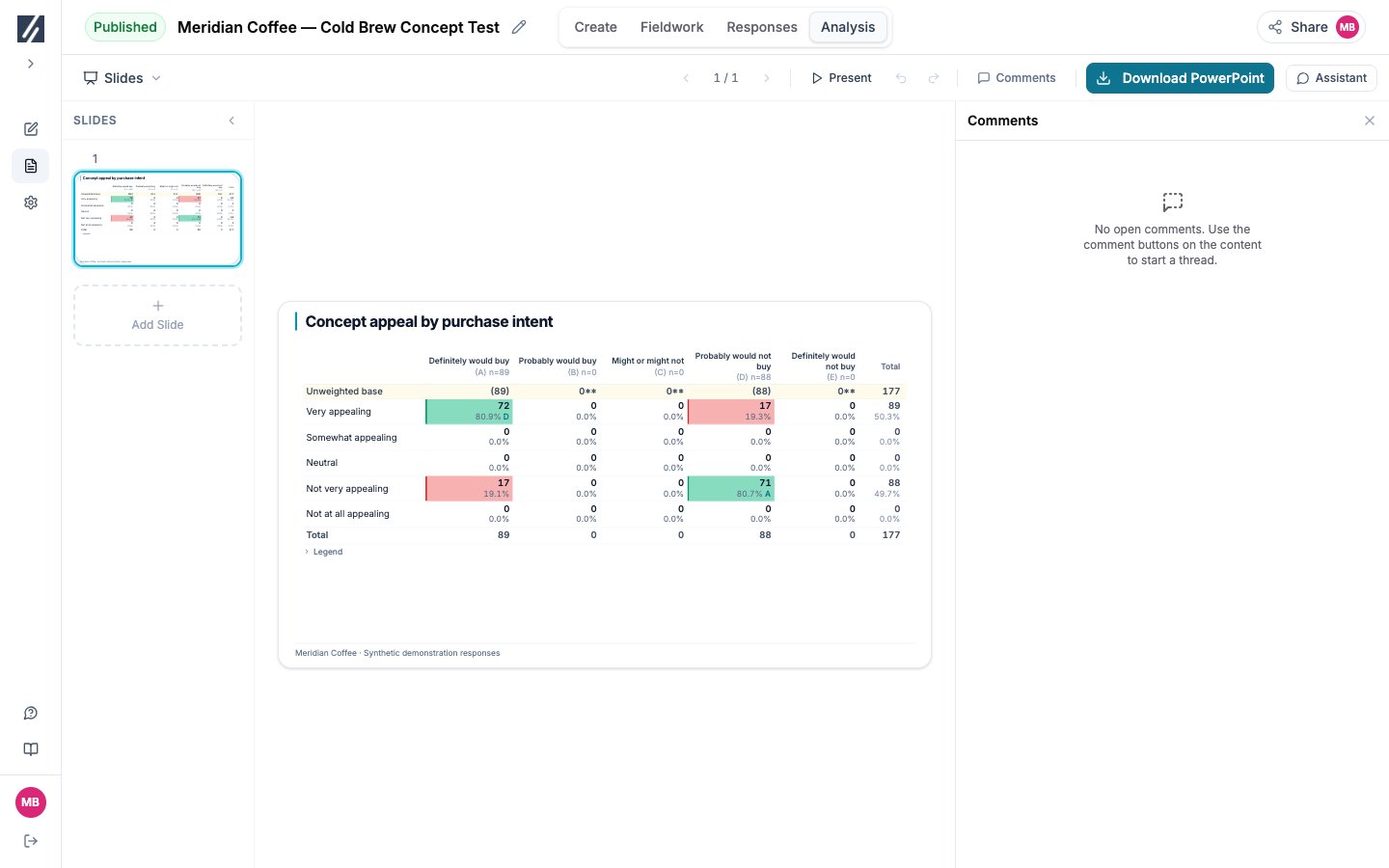
Use comments to keep a review request attached to the slide or block it concerns. You need a completed report, a saved deck, and permission to comment.
Open **Analysis → Slides** and select **Save Changes** if edits are pending. Comments require a saved version with no local changes.
Select the comment button on the relevant slide or block. Write a specific request, such as “Check the base behind this purchase-intent percentage.”
Select **Send**. Confirm the numbered pin appears beside the intended element, then select the thread to check that it returns to that element.
Read replies, verify the revised claim against its chart or source answers, save the deck, and resolve the thread. Confirm it appears under **Resolved**.
 ## Process several threads
Select the relevant threads in **Comments** and choose **Ask AI to process**. Review the assistant’s changes on the canvas, check the supporting evidence, and save before resolving the requests. Processing a request is not evidence that the revised claim is correct.
## Reopen or correct feedback
Use **Open** and **Resolved** to find threads. Reopen a resolved request when more work remains. You can edit or delete your own comments; keep the review explanation clear for the next reader.
## Review through a guest link
The link must include the deck and have **Allow comments** enabled. Open the URL in a private window and check its content before sending it. A deck link also grants the dependent questionnaire and result access described in [Manage guest links](/sharing/guest-links).
## Fix an unavailable comment control
Save pending changes first. If the message says the element changed, reload the deck before commenting so the new thread attaches to the current element.
## Related
* [Build and review a slide deck](/analysis/slides)
* [Verify analysis results](/analysis/report-sections)
* [Manage guest links](/sharing/guest-links)
## Process several threads
Select the relevant threads in **Comments** and choose **Ask AI to process**. Review the assistant’s changes on the canvas, check the supporting evidence, and save before resolving the requests. Processing a request is not evidence that the revised claim is correct.
## Reopen or correct feedback
Use **Open** and **Resolved** to find threads. Reopen a resolved request when more work remains. You can edit or delete your own comments; keep the review explanation clear for the next reader.
## Review through a guest link
The link must include the deck and have **Allow comments** enabled. Open the URL in a private window and check its content before sending it. A deck link also grants the dependent questionnaire and result access described in [Manage guest links](/sharing/guest-links).
## Fix an unavailable comment control
Save pending changes first. If the message says the element changed, reload the deck before commenting so the new thread attaches to the current element.
## Related
* [Build and review a slide deck](/analysis/slides)
* [Verify analysis results](/analysis/report-sections)
* [Manage guest links](/sharing/guest-links)